How to make a thumbnail for a music video, from the video itself.
Short version: put the artist in the thumbnail, cut out of the frame with the most energy in the whole video. Put three words on it, and make those words the song or the artist name, because that is what people search and what they recognise. Export 1280 by 720 for the video and a separate 1080 by 1920 cut for the Short. Everything below is that, in detail, with seven real examples built from real footage.
The artist is the subject
A music video thumbnail has one job in a feed: make the viewer recognise the artist or the song in well under a second. Cover art shrunk to 200 by 113 pixels does not do that. A face does. Even when the video is a performance piece full of locations and extras, the thumbnail should be the artist, cut out of the background so nothing behind them competes, filling at least a third of the frame.


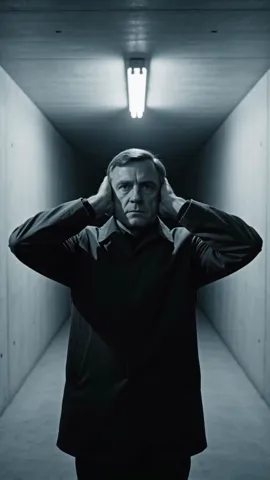
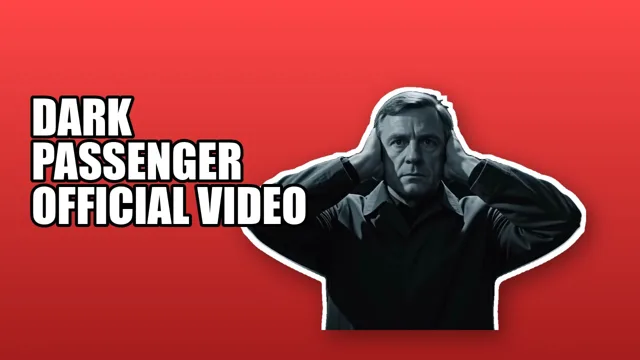
When the video has no artist on camera (a story, a landscape, an object piece), the subject is the thing the video is about. Two of the seven examples below are like that, and they still work, because the object is big, sharp and alone.
Pick the frame with the most energy
Scrub the whole video, not the first ten seconds. The frame you want is the one where the most is happening in the artist's body: mid-line, mid-gesture, mid-turn, eyes open, mouth doing something. Stills from between lines look asleep. A few things to check on the frame before you commit to it:
- Sharp. Music videos cut fast and move the camera a lot; many frames are motion-blurred. Step frame by frame around the moment you like and take the sharpest one.
- Whole. The head and the hands should be inside the frame. A head cut off at the top of the frame becomes a floating chin once it is cut out.
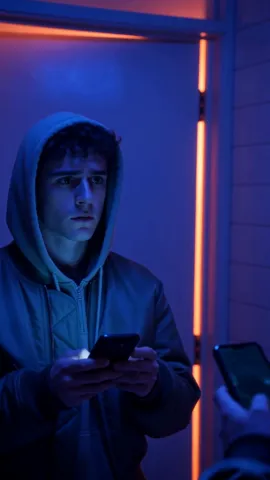
- Separated. The artist should not be the same colour as what is behind them. A cutout fixes most of this, but a black hoodie in a black club still gives the cutout nothing to grab.
- Lit from the front, or rim-lit. A silhouette can work as a shape, but a face needs light on it to be a face at 200 pixels wide.

Three words, and make them the song or the artist
Text on a music video thumbnail is not a hook, it is a label. The viewer is scanning for a name they know. So the words are the song title, or the artist name, or both, and nothing else. Three words is the ceiling that stays readable at 200 by 113; five is the absolute limit and only if they are short. The seven examples all use the same pattern: the song title plus OFFICIAL VIDEO, in a heavy face, with an outline or a solid ground so the letters never sit on a busy area of the picture.
What not to write: a lyric (nobody searches for it yet), "new single", "out now", the release date, or the label name. They cost letters and give the viewer nothing to recognise. If the artist name is already the channel name, the title alone is usually the right three words.
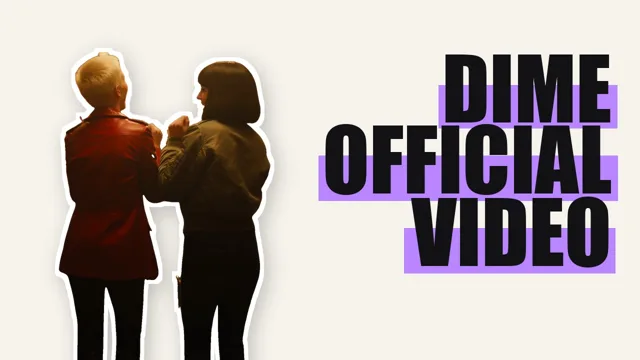 Dime at feed size. Two figures and three words. This is how big it is in a phone feed; if the name is not readable here, it is not readable.
Lyric videos and visualizers still need a real frame
Lyric video and visualizer channels usually upload the single art as the thumbnail, or let YouTube pick a frame of the lyric text. Both lose in a feed, for different reasons:
- The art is square. Single art is 1:1. Padded into 16:9 it gets bars on both sides or a blurred copy of itself behind it, and the title on the art was set for a 3000 pixel square, not for 200 by 113.
- A frame of lyric text is a wall of small words. At feed size that is a grey smudge with no subject.
- Every visualizer on the channel looks the same. When each upload is the same art with a different title, nothing tells the viewer which one is new.
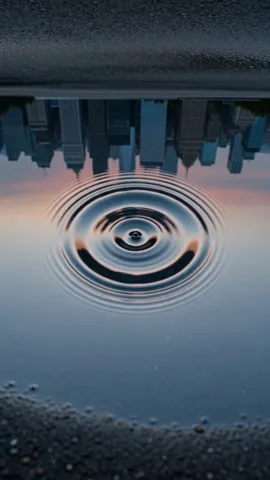
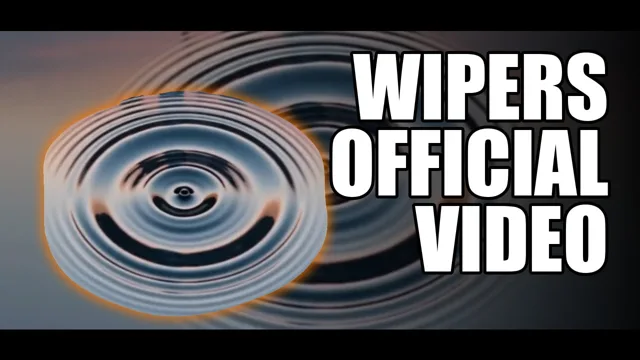
The fix is the same as for a full video: use a real frame. A visualizer has frames too; the moment the art, the waveform or the particles are biggest and brightest is the frame. If there is any footage of the artist in the piece, even a few seconds, that is the frame. If there is none, put the artist in from a photo shot on the same day as the release, cut out, in front of the visualizer's own colours. The example below is an object piece with no artist on camera, and it still reads as a thumbnail because the object is the whole frame.
The 9:16 cut for the Short
Most music videos get a Short as well: the chorus, the hook, a 30 second cut. Shorts can have a custom thumbnail too (opened to Partner Program channels in July 2026, set from YouTube Studio on desktop), and the size is 1080 by 1920, vertical. Do not stretch or crop the 16:9 thumbnail. Build the tall one from the same cutout: the artist is the same, the words are the same, only the layout changes. In the tall frame the subject sits in the lower two thirds and the words go above, because the bottom of a Short is covered by the title, the channel name and the buttons in the player.
| Where | Size | Layout |
|---|---|---|
| The video | 1280 x 720 | Artist on one side, words on the other, or words over a solid ground behind the cutout. |
| The Short | 1080 x 1920 | Same cutout, words stacked above the subject, nothing important in the bottom quarter. |
| Feed size to judge at | about 200 x 113 | If the name reads and the face reads here, ship it. |
Seven real ones
These are seven music videos, each thumbnail built from a frame of the actual video, in a look coloured from the footage. Nothing generated, nothing stock. The score is Thumbnl's feed-size score out of 100.
| Video | Subject | Look | Score |
|---|---|---|---|
| Dial | The artist, phone-lit | Burst | 95 |
| Dime | Two figures at a bar | Marker | 87 |
| Leaf | The plant, no performer | Split | 87 |
| Coconut Schemin' | The artist and his table | Gradient | 86 |
| Dark Passenger | The artist, close-up | Close-up | 85 |
| Wipers | A drop of water, no performer | Letterbox | 79 |
| The Heights | A chandelier, no performer | Neon | 77 |
Notice the order. The three highest all have people in them. The two with an object and no performer are at the bottom, still fine, still readable, but a face wins.
Build yours from your own video
Drop the video, tap the frame with the most energy, type the three words. Thumbnl cuts out the artist, builds three looks coloured from your footage, scores each one at feed size and gives you the 16:9 and the 9:16 in one pass. Try it on a sample clip without signing in.
Try it now, no sign-inWhere these numbers come from
The 1280 by 720 and 1080 by 1920 sizes are YouTube's own upload requirements; the July 2026 opening of custom Shorts thumbnails to Partner Program channels is from YouTube's announcement that month. The feed size is measured from the YouTube app on a phone. The seven examples and their scores are Thumbnl's own renders of seven real music videos, the same ones on the front page.